Radius Map Tool
Draw a circle on a map: tap or search a place, then drag the edge to set your radius
How to Draw a Radius on a Map
Drawing a radius on a map takes three steps:
Choose your center point
Type an address, city, or zip code in the search bar, or click “Use My Location” to center the radius on your current GPS position.
Set your distance
Enter the radius distance and select your unit (miles, km, meters, or feet). Use quick presets for common distances.
Adjust and share
Drag to reposition, resize by dragging the edge. Copy the shareable link so anyone can see your map.
Need to draw a radius on Google Maps specifically? Read our guide →
How to Draw a Circle Around a Point on a Map
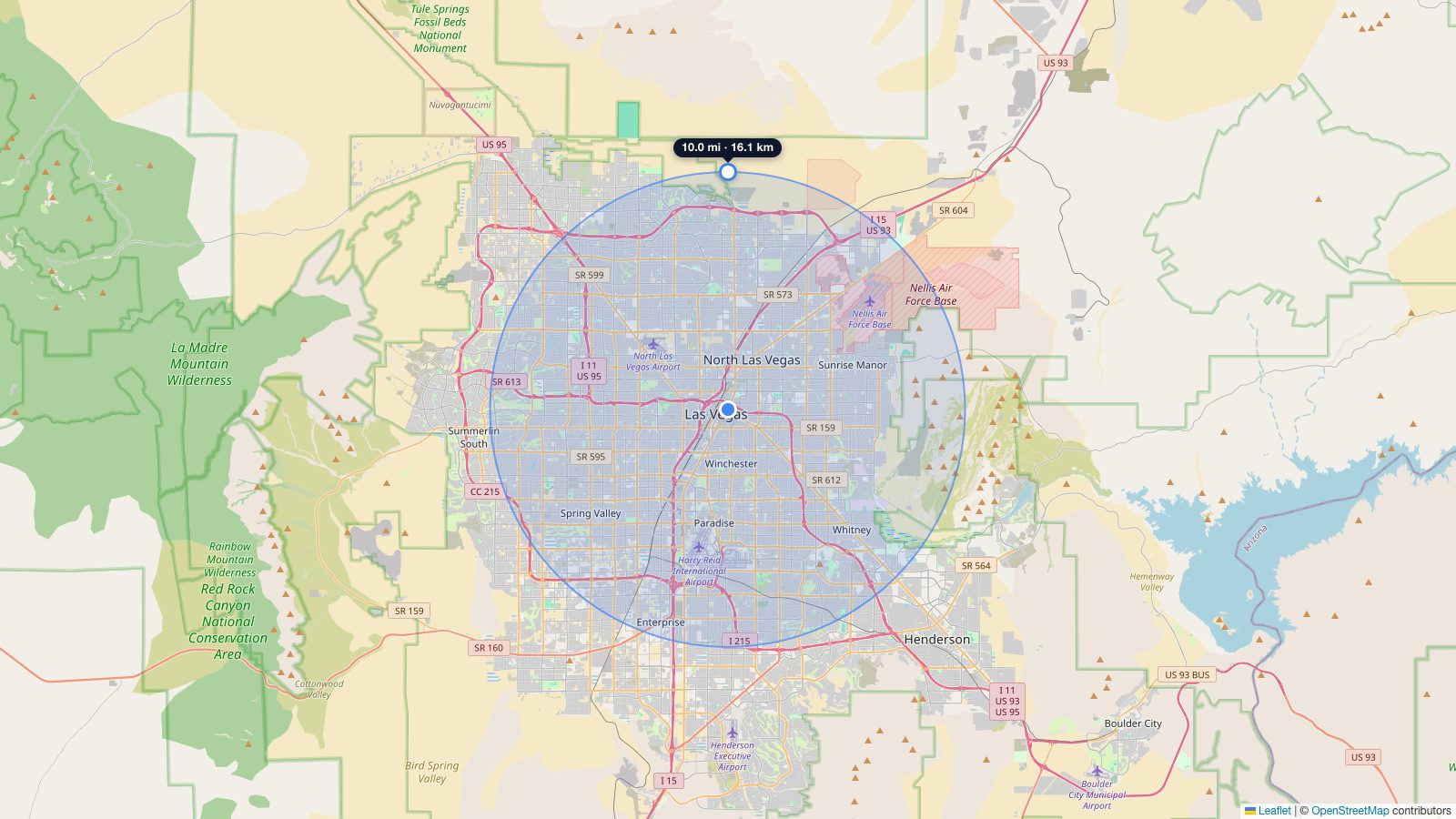
To draw a circle on a map, set its centre point and its radius. Search for an address or place name, or tap directly on the map, to drop the centre point exactly where you want it. The tool instantly draws a circle around that point at your chosen distance.
Change the size of the circle by dragging its edge, or type an exact radius in miles or kilometres. Everything inside the circle is within that distance of the centre, so you can see a catchment area, delivery zone, or “how far is X from here” at a glance. Add more circles to compare several points on the same map.
What Can You Do With This Radius Map Tool?
This tool draws a circle on a map at a specific distance from any point. That circle represents every location within that straight-line distance from your center point, also known as an “as the crow flies” radius.
Here are some common ways people use it:
Check what's within a distance from you.
Enter your home address, set a 10-mile radius, and see exactly how far 10 miles extends in every direction. This helps with commute planning, understanding delivery zones, or answering “how far is 10 miles from me?” visually.
Compare multiple locations.
Add circles around two or more addresses to see where they overlap. Useful for finding a meeting point, comparing service areas, or choosing between apartments based on proximity to work.
Define a service or delivery area.
Businesses use radius maps to establish coverage zones. Draw a circle around your office or depot and adjust the radius to match the area you actually serve.
Visualize specific distances.
It's difficult to picture what “50 miles” actually looks like on a map. Drawing a radius shows which cities, highways, and landmarks fall within that distance.
Plan travel and relocation.
Moving to a new city? Draw a radius around your workplace to see which neighborhoods are within a comfortable commute distance. Pair this with our drive time map tool for more accurate travel-time estimates.
Looking for radius by zip code? Use our zip code radius tool →
Radius Coverage: Area vs Distance
Radius area grows exponentially with distance. Doubling the radius quadruples the area covered.
Area Covered by Radius (in square miles)
Formula: Area = π × radius². A 100-mile radius covers the same area as the state of South Carolina.
Radius Quick Reference
The table below shows common radius distances and what they typically cover. Use the presets in the tool above to draw any of these instantly.
| Radius | Approx. Area | Typical Coverage | Example uses |
|---|---|---|---|
| 1 mile (1.6 km) | 3.1 sq mi | A neighborhood | Walking distance, small delivery zones |
| 5 miles (8 km) | 78 sq mi | A city section | Commute radius, restaurant delivery |
| 10 miles (16 km) | 314 sq mi | A metro area | Service area, daily commute |
| 25 miles (40 km) | 1,963 sq mi | A region | Regional sales territory |
| 50 miles (80 km) | 7,854 sq mi | Multiple cities | Day trip planning, logistics |
| 100 miles (161 km) | 31,416 sq mi | A large region | Freight radius, weekend trips |
Note: Area values assume a perfect circle. Actual reachable area depends on roads, terrain, and natural barriers. For real-world travel distances, use our drive time map instead.
How This Tool Works
Map With Radius uses Leaflet, an open-source mapping library, with map tiles from OpenStreetMap. Unlike tools that depend on Google Maps, this means:
- No usage limits. Google Maps API charges per load after a free tier. Our tool has no API costs, so there are no restrictions on how many circles you draw or how often you use it.
- No API key required. You don't need an account, API key, or any setup. Open the page and start drawing.
- Fast loading. Leaflet is lightweight (~40KB) compared to the Google Maps JavaScript API (~200KB+). The map loads faster, especially on mobile.
- Tool-side privacy. Map tiles come from OpenStreetMap, not Google Maps, so the map itself doesn't send your location or search queries to Google. (For analytics, ads, and EEA/UK consent, see our Privacy Policy.)
The radius circles are calculated using the Haversine formula, which accounts for the Earth's curvature. This means the circles are geographically accurate, so a 50-mile radius really is 50 miles from the center point in every direction.
Address search is powered by Nominatim, OpenStreetMap's free geocoding service. It supports addresses, cities, zip/postal codes, landmarks, and coordinates.
What Map With Radius Includes
| Feature | Map With Radius |
|---|---|
| Map provider | OpenStreetMap (free) |
| Multiple circles | ✓ Unlimited |
| Address search | ✓ Full address, zip, city, landmark, or coordinates |
| Share via URL | ✓ |
| Export KML | ✓ |
| Export PNG | ✓ |
| Mobile friendly | ✓ Responsive, touch-optimised |
| Usage limits | None |
| Cost | Free |
Detailed comparison: FreeMapTools alternative · MapDevelopers alternative
More Map Tools
Depending on what you need, one of our other tools might be a better fit:
- Miles to Minutes: Convert a distance into driving and walking minutes at a speed you choose.
- How Far Did I Run: Trace a running, walking, or cycling route on the map to measure its distance and time.
- Drive Time Map: Shows how far you can actually drive (or walk, or cycle) in a given time. Uses real road data instead of straight-line distance.
- Zip Code Radius: Enter a zip code and distance to find all zip codes within that radius. Returns a list you can export.
- Halfway Point Calculator: Find the point halfway between two cities or addresses by driving time or distance, and see towns near the middle.
- KM Radius Map: Same tool, metric-first. Defaults to kilometers for users outside the US and UK.
- Walking Radius Map: See how far you can walk or cycle in a set time. Shows realistic walking/biking areas based on actual roads and paths.
- Distance Calculator: Measure the straight-line or driving distance between any two points on a map.
- Population Within a Radius: Estimate how many people live inside a radius (1, 3, and 5-mile rings or a custom circle) from official 2020 US Census counts.
- Acre Calculator: Drop a true-scale 1, 5, or 10-acre overlay on any map to see exactly how big an acreage is.
- Area Calculator: Trace any shape to measure its area and perimeter in acres, hectares, square feet, m², sq mi, or km².
Try a Radius on a Popular City
Skip the address search. Each link opens this tool already centered on the city, with a starting radius that fits the city's scale and a deep guide to what's within each radius.